DWG FastView: What It Is and How to Use It
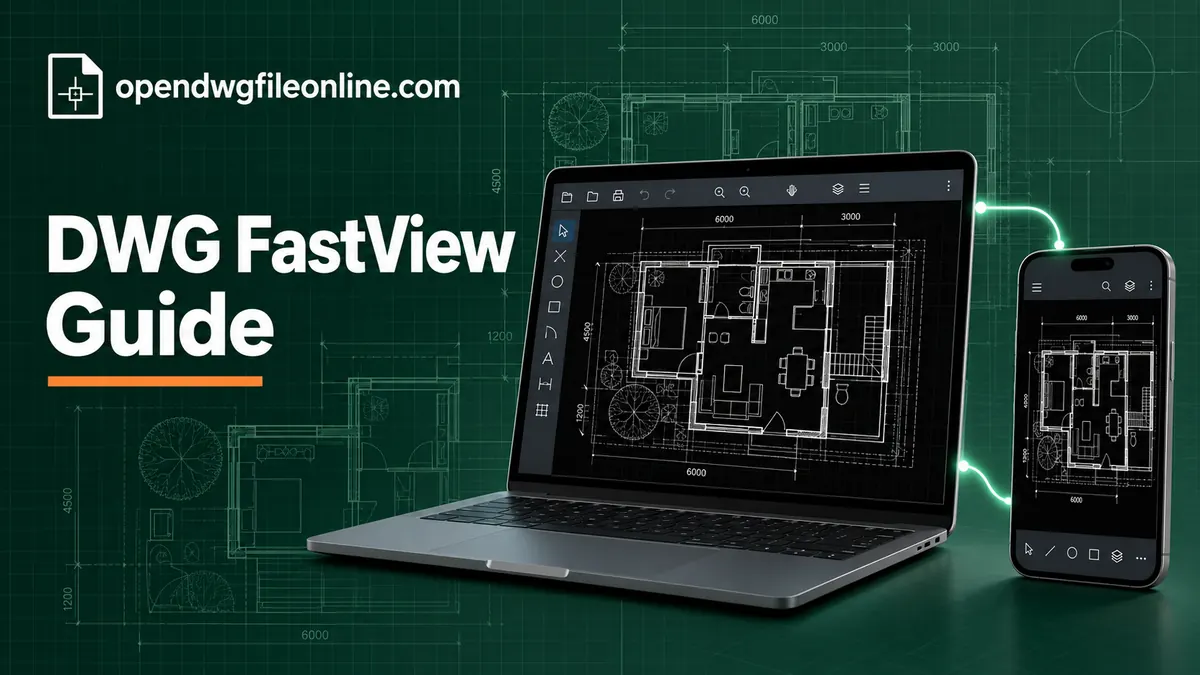
DWG FastView is a CAD viewer that runs on almost everything. Windows, Mac, iPhone, Android and the web. That’s its main selling point. Open a drawing on your office PC, check it on your phone at the site, mark it up on a tablet in a meeting.
A lot of people search for it as one word, “dwgfastview.” If you’ve seen it in an app store and wondered whether it’s worth installing, this guide covers what it does, what’s free, what costs money, and when another tool makes more sense.
Who makes DWG FastView?
DWG FastView comes from Gstarsoft, a CAD software company. Gstarsoft also makes GstarCAD, a desktop CAD program that works with DWG files. FastView is their lighter tool for people who mainly need to view and lightly edit drawings.
It’s been around for years and has a large user base, especially on mobile.
What DWG FastView can do
Here’s what you can expect from the app.
View DWG and DXF files. It opens 2D drawings and many 3D ones. You can switch between model and layout tabs, and turn layers on and off.
Measure. Distances, areas and angles. Useful on site when you need a number that isn’t dimensioned.
Mark up. Add notes, clouds, arrows and text on top of a drawing. Good for sending comments back to a designer.
Light editing. Draw and change simple objects like lines, circles and text. It’s not a full CAD program, but it handles small fixes.
Sync across devices. If you sign in, your drawings can follow you between computer, phone and tablet through FastView’s cloud.
Export and convert. Some versions let you export to PDF or images, or save to a different DWG version. Several of these sit in the paid plan.
Free vs paid
DWG FastView has a free version and a paid subscription.
The free version covers basic viewing, measuring and some editing. It shows ads, particularly in the mobile apps. Some tools prompt you to upgrade when you tap them.
The paid plan removes ads and adds more tools, such as certain exports, extra storage and advanced editing. Plans and prices change, so check the current list in the app before you pay.
For occasional viewing, the free version is enough. If you rely on it daily for markups and exports, the subscription might be worth it.
How to get started on a computer
- Go to the official DWG FastView website and download the version for Windows or Mac. On Mac you can also use the App Store.
- Install and open it.
- You can skip sign-in for basic viewing, or create an account to use sync.
- Click Open and pick your DWG file.
- Zoom with the mouse wheel and pan by dragging.
How to get started on a phone or tablet
- Install DWG FastView from the App Store or Google Play.
- Open the app and allow access to files when asked.
- Tap the folder or open button and find your DWG. On iPhone, look in the Files app locations. On Android, look in Downloads.
- Pinch to zoom and drag to pan.
If the DWG is in an email, save it to your phone first. Our guides for iPhone and iPad and Android explain how.
Tools you’ll use most
Layers
Open the layer list to hide clutter. Turning off furniture, hatching or text layers makes small screens far easier to read.
Measure
Tap or click the measure tool, then pick two points. Let the cursor snap to line ends for accuracy. Always check the drawing units first, as 1000 could mean millimeters or something else entirely.
Markup
Choose the markup or annotation tool, then draw a cloud or add a note. Save and share the file so the designer sees your comments.
Layout tabs
Switch to a layout to see the printable sheet, including the title block and drawing scale. On a phone this is often easier to read than model space.
A typical site workflow with FastView
Here’s how many site managers and installers use it in practice.
Before leaving the office, they open the current drawings on the desktop app and save them to a synced folder. On the drive to site, the files appear on their phone.
On site, they open the layout tab for the area they’re working on. They turn off layers that aren’t relevant, like furniture or ceiling grids. They measure anything that isn’t dimensioned. When they spot a clash or a question, they draw a cloud around it and add a short note.
Back at the office, the marked-up drawing is already on the desktop. They send it to the designer with a short email listing the comments.
It’s simple, and that’s the point. Nobody needs a full CAD license to take part.
Before you rely on it for measurements
Any viewer can show a measurement. Whether that number is correct depends on the drawing. Was it drawn at full size? Were the units set properly? Was a detail scaled up to fit a sheet?
Before trusting a measurement, check it against a dimension that’s already on the drawing. If the two match, you’re fine. If they don’t, ask the designer before you build anything from it.
Is DWG FastView safe?
The app comes from an established company and is available in the official app stores. That said, think about where your files go.
If you use the cloud sync feature, your drawings are stored on FastView’s servers. For many people that’s fine. For confidential drawings under NDA, check your company’s rules first. If you only open files locally and don’t sign in to sync, they stay on your device.
If privacy is your main concern and you only need to view, a browser-based viewer that reads files on your own device is a simpler choice. Nothing gets uploaded.
DWG FastView vs other free viewers
| Tool | Platforms | Edit | Ads | Best for |
|---|---|---|---|---|
| DWG FastView | Windows, Mac, iOS, Android, web | Light | Yes, in free version | One tool across all devices |
| DWG TrueView | Windows | No | No | Accurate viewing and printing |
| Autodesk Viewer | Web | No | No | Sharing, markups, 3D |
| Browser viewer | Any browser | No | No | Quick private look |
For a deeper comparison with Autodesk’s desktop viewer, see DWG FastView vs DWG TrueView. For a wider list, see our free DWG viewers compared.
Who should use DWG FastView?
FastView is a good fit if you:
- Check drawings on your phone at site meetings
- Want the same app on Windows and Mac
- Need to add markups without buying AutoCAD
- Make small edits now and then
It’s a weaker fit if you:
- Need perfect fidelity with complex AutoCAD drawings
- Don’t want ads or upgrade prompts
- Can’t send files to any cloud service
- Do serious drafting every day (you need full CAD for that)
Common problems with DWG FastView
The drawing looks different from AutoCAD
FastView uses its own engine, not Autodesk’s. Most drawings look the same, but unusual objects, custom fonts and some third-party add-on objects may show differently. If something looks wrong, compare it in DWG TrueView on Windows or Autodesk Viewer.
Text shows the wrong font
The drawing uses fonts your device doesn’t have. FastView substitutes a default font. The geometry is still accurate.
The file won’t open
The DWG may be damaged, or from a very new AutoCAD release. Update the app first, as new versions add support for newer files. Then see our DWG file not opening checklist.
Too many ads
The free version shows ads. You can upgrade, or use a different free viewer that doesn’t show ads.
Tips for using FastView well
Keep the app updated. New releases fix display bugs and add support for newer DWG files.
Turn off sync for confidential projects. Open those files locally instead.
Use layouts on mobile. The sheet view is easier to read than the full model.
Name your markups clearly. When you send a marked-up file back, a short note like “Rev B comments, 3 items” saves everyone time.
Clear out old files now and then. Synced folders fill up fast on a busy project, and the free storage is limited. Archive finished projects to your computer and remove them from the app. Your phone will thank you, and you’ll stop scrolling past last year’s drawings to find this week’s.
Questions people ask
Is DWG FastView free?
Yes, there’s a free version with ads. A paid plan removes ads and adds features.
Does DWG FastView work offline?
The desktop and mobile apps can open local files without internet. Cloud features need a connection.
Can DWG FastView edit DWG files?
It can make light edits, like drawing lines or changing text. It isn’t a replacement for full CAD software.
Is it the same as AutoCAD?
No. It’s a separate product from a different company. It reads and writes the same DWG format.
The short version
DWG FastView is a handy cross-device viewer with light editing and markups. The free version works well for occasional use if you don’t mind ads. For a quick private look at a drawing without installing anything, use our free online DWG viewer instead. And for accurate Windows printing, Autodesk’s TrueView is still the safer pick.