
How to Open DWG Files on a Mac (Free and Paid Options)
Mac users get a raw deal with DWG files. Autodesk makes a free desktop viewer called DWG TrueView, but it only runs on Windows. Double-click a DWG on a Mac and you’ll get a polite message that no app can open it. Preview can’t help. Quick Look shows a blank icon.
So what do you do when a client, an architect or a supplier sends you a drawing and you just need to see it?
You have more options than you might think. This guide covers the free ones first, then the paid ones, and ends with fixes for the problems Mac users hit most.
Why your Mac can’t open DWG files by default
DWG is AutoCAD’s own file format. Apple doesn’t include a reader for it, the same way Windows doesn’t. On Windows, people usually install DWG TrueView and forget about it. On a Mac, that option doesn’t exist.
Autodesk does sell AutoCAD for Mac. But paying for a full CAD license just to look at a plan makes no sense for most people. The good news is that you can view almost any DWG on a Mac without spending anything.
Method 1: Open the DWG in your browser
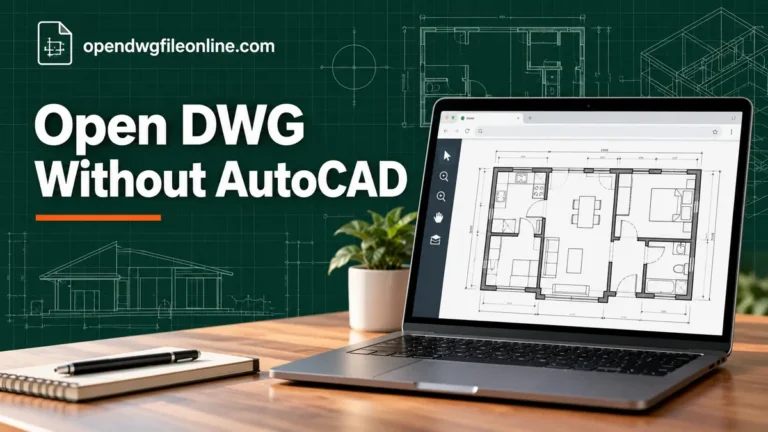
This is the easiest way, and it works on every Mac, Intel or Apple Silicon. You don’t install anything, so it’s fine on a locked-down work laptop too.
Here’s how to do it with our free online DWG viewer:
- Open Safari, Chrome or Firefox and go to our homepage.
- Drag the DWG file from Finder onto the viewer box.
- Wait while the drawing loads. Big files can take a little longer the first time.
- Pinch on the trackpad to zoom. Two-finger drag to pan.
- Use the toolbar to switch layers, change layouts or measure a distance.
Your file stays on your Mac. The viewer reads it inside the browser and doesn’t upload it anywhere. That’s a big plus if the drawing is confidential.
Safari works fine. With very large drawings, Chrome and Firefox are sometimes a little faster. If a file seems stuck, try another browser before giving up.
Method 2: Autodesk Viewer
Autodesk’s own web viewer also works on a Mac. You need a free Autodesk account. You upload the file to Autodesk’s cloud, and it shows the drawing in your browser.
It’s good for 3D models and for sharing a link with someone who needs to comment. The downside is the upload step. Your file sits on Autodesk’s servers, which some companies don’t allow. Read our Autodesk Viewer guide for the full walkthrough.
Method 3: DWG FastView for Mac
DWG FastView has a native Mac app. You can get it from its website or the Mac App Store. The free version opens DWG files and lets you measure and make basic edits. Some tools need a paid plan.
It’s a decent choice if you open DWG files every week and want a real app in your Dock. It also syncs with the phone version, which helps if you check drawings on site. We cover it in our DWG FastView guide.
Method 4: LibreCAD
LibreCAD is free and open source. It runs on macOS and is built for 2D drafting. Its strongest format is DXF. It can read some DWG files, but support is limited, and complex drawings may not open or may look wrong.
Think of LibreCAD as a tool for simple 2D edits, not a reliable viewer for any DWG someone throws at you. If you need to edit, convert the DWG to DXF first. Our DWG viewer vs editor article explains why viewing and editing are so different.
Method 5: AutoCAD for Mac (paid)
If you work with DWG files every day, and you need to edit them, AutoCAD for Mac is the real thing. It’s a subscription, and it isn’t cheap. Autodesk offers a free trial if you want to test it on a real project first.
For most people reading this, it’s overkill. But if your job is moving toward CAD work, it’s worth knowing it exists.
Quick comparison for Mac users
| Option | Cost | Install needed | Keeps file private | Best for |
|---|---|---|---|---|
| Browser viewer | Free | No | Yes | Quick look, any Mac |
| Autodesk Viewer | Free | No | No, uploads to cloud | 3D, sharing, markups |
| DWG FastView | Free with paid extras | Yes | Depends on settings | Regular use, phone sync |
| LibreCAD | Free | Yes | Yes | Simple 2D editing |
| AutoCAD for Mac | Subscription | Yes | Yes | Daily professional work |
If you’re unsure, start with the browser. It’s free and takes less than a minute.
Can’t I just run DWG TrueView on my Mac?
Not directly. TrueView is a Windows program. Some people run it inside a Windows virtual machine using Parallels or a similar tool. That works, but you need a Windows license and plenty of disk space. It’s only worth it if you already run Windows on your Mac for other reasons.
If you do go that route, our DWG TrueView guide covers the setup once Windows is running.
Common problems on a Mac
The file is greyed out in the open dialog
Some apps only show file types they know. In the viewer, use drag and drop from Finder instead of the file picker. In apps, check that the file really ends in .dwg. Mail sometimes saves attachments with odd names.
The drawing loads but looks empty
Zoom to the full drawing. In most viewers there’s a “fit” or “zoom extents” button. In AutoCAD it’s the ZOOM command with the E option. If it’s still blank, check the layer list. Someone may have saved the file with layers turned off.
Text is wrong or full of question marks
The drawing uses fonts your Mac doesn’t have. Many DWG files use AutoCAD’s SHX fonts or special company fonts. Viewers swap in a stand-in font, so text may look a bit off. The lines and dimensions are still correct.
The file won’t open at all
Check the DWG version. A drawing saved by a very new release may not open in older apps. Our guide to checking a DWG file’s version shows you how, even without CAD software. Then look at DWG file not opening for the full list of fixes.
The browser tab freezes
Very large drawings use a lot of memory. Close other tabs and try again. If your Mac has 8 GB of RAM and the file is huge, a desktop app may cope better.
Opening DWG files from email on a Mac
Mail and Outlook both let you save attachments. Save the DWG to your Downloads folder first. Then drag it into the browser viewer. Don’t try to open it straight from the email preview, because macOS will just say it can’t open the file.
If the sender sent a ZIP file, double-click it to unpack it. Look for any extra files inside, like other DWGs or images. Those may be referenced by the main drawing. Keep them in the same folder.
A few tips that save time on a Mac
Set up a folder just for drawings. Call it something like “Plans” and drop every DWG there as soon as it arrives. It sounds small, but it stops the hunt through Downloads later.
Keep a browser bookmark to your viewer. Then opening a drawing is two clicks: the bookmark, then a drag from Finder.
If you get a lot of drawings from one company, ask them to send a PDF alongside each DWG. The PDF opens instantly in Preview and prints well. The DWG is there when you need to zoom into detail or measure something.
Finally, don’t rename the extension to try and force a file open. Changing .dwg to .pdf won’t convert anything. It just breaks the link between the file and the apps that can read it.
What about iPad and iPhone?
You can open DWG files on an iPad too. A browser viewer works in Safari, and there are apps like the AutoCAD mobile app and DWG FastView. See our step-by-step guide on opening DWG files on iPhone and iPad.
Questions Mac users ask
Does macOS have a built-in DWG viewer?
No. Preview and Quick Look don’t support DWG. You need a viewer app or a browser-based viewer.
Is there a free AutoCAD for Mac?
Autodesk gives free educational licenses to students and teachers. Everyone else can use a free trial. There’s no free commercial version.
Can I convert a DWG to PDF on a Mac?
Yes, though not with Preview. You can open the DWG in a viewer and print to PDF from your browser or app. Or ask the sender for a PDF. Our comparison of DWG vs PDF helps you decide which file you actually need.
Which option is the fastest?
A browser viewer. No download, no account, no install. Drag the file in and you’re looking at it.
Bottom line
Your Mac can’t open DWG files on its own, but that’s easy to fix. For a quick look, use a browser-based DWG viewer. For regular work, try DWG FastView. For 3D models and sharing, try Autodesk Viewer. Only buy AutoCAD for Mac if editing drawings is part of your job.
And if you also use Windows sometimes, our guide on opening DWG files on Windows covers the extra options you get there.