Online vs Desktop DWG Viewer: Which Should You Use?
There are two ways to look at a DWG file without AutoCAD. You can open it in a website, or you can install a program. Both are free. Both work. But they’re good at different things, and picking the wrong one can cost you time.
This article compares online and desktop DWG viewers on the things that actually matter: speed, privacy, accuracy, big files, printing and working offline. By the end you’ll know which one to reach for, and when to keep both.
What we mean by online and desktop
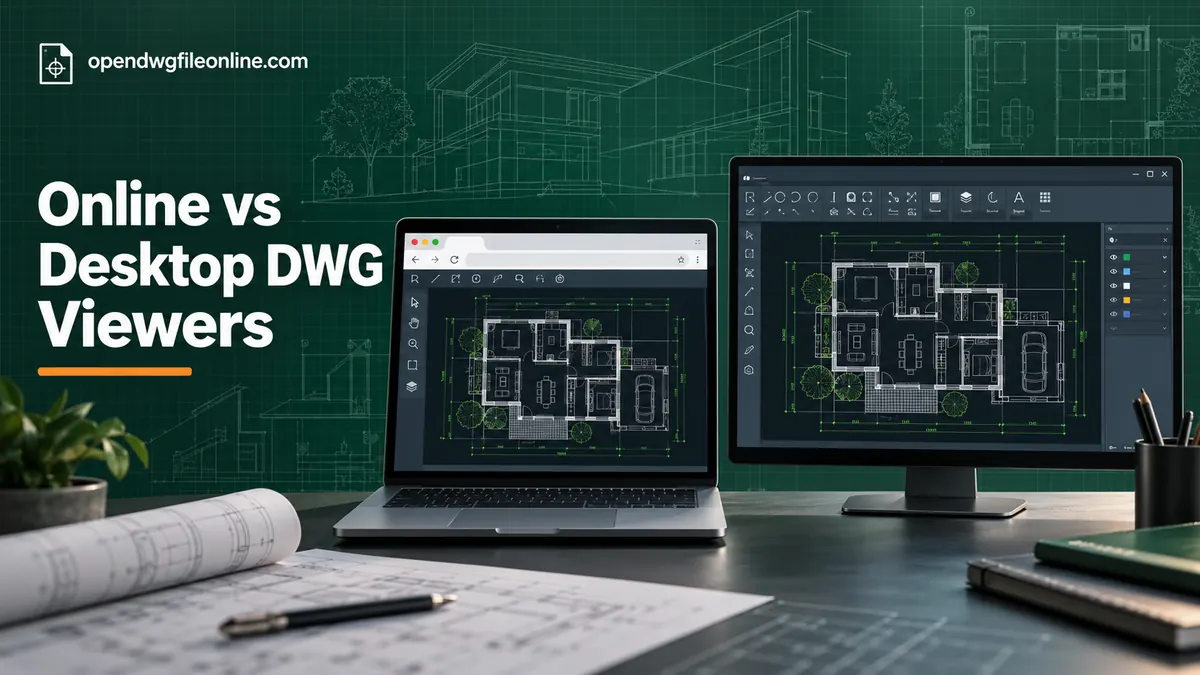
An online viewer runs in your web browser. You open a page, drop in your DWG file and look at it. Examples include our free online DWG viewer, Autodesk Viewer and ShareCAD.
A desktop viewer is a program you install on your computer. Examples include DWG TrueView on Windows, DWG FastView and eDrawings.
There’s an important split inside the online group. Some online viewers upload your file to a server, process it there, and send back a picture. Others read the file inside your browser and never send it anywhere. That difference matters a lot for privacy, so we’ll come back to it.
Speed to first look
Online wins. Opening a browser tab takes seconds. Installing a desktop viewer like TrueView means a large download and an install that can take a while on a slow connection.
If you need to answer one question about one drawing, online is faster every time.
For the second, third and hundredth drawing, the gap closes. Once a desktop viewer is installed, it opens files with a double-click.
Privacy
It depends on the online viewer.
Desktop viewers keep your file on your computer. Nothing leaves your machine.
Online viewers split in two:
- Upload viewers send your file to a server. The company running the server has a copy, at least for a while. Autodesk Viewer and ShareCAD work this way.
- Local browser viewers read the file inside your browser using your own computer’s power. The file never leaves your device. Our viewer works this way.
For a client’s floor plan or a product under NDA, use a desktop viewer or a local browser viewer. Avoid upload viewers unless your company allows it.
A quick way to test a browser viewer: load the page, then disconnect from the internet, then open your file. If it still works, the file stayed on your device.
Accuracy
Desktop TrueView wins. DWG TrueView uses Autodesk’s own engine, the same one inside AutoCAD. If a drawing looks right in TrueView, it’ll look right for the person who made it.
Other viewers, online or desktop, use their own engines to read DWG files. They’re very good for normal drawings. They can slip on unusual objects, custom fonts, special line types and some objects created by add-on software.
For everyday plans, you won’t notice a difference. For a drawing that will be used to build or manufacture something, double-check details in TrueView or with the designer.
Big and complex files
Desktop usually wins. A desktop program can use all of your computer’s memory and graphics power. A browser tab has more limits.
Most drawings open fine in a browser. But a 200 MB site plan with thousands of blocks and heavy hatching might be slow or might not open at all. On a laptop with 8 GB of memory, that’s more likely.
If big files are normal in your work, keep a desktop viewer installed. Our guide to DWG files that won’t open has more tips for heavy drawings.
Printing to scale
Desktop wins clearly. DWG TrueView has a full plot dialog. You choose the paper size, plot area and exact scale, like 1:50 or 1/4 inch to a foot. It also batch plots many sheets at once.
Online viewers usually print what’s on screen, through the browser’s print dialog. That’s fine for a quick reference print. It’s not good enough if someone will measure the paper with a scale ruler.
Working offline
Desktop wins. Desktop viewers work with no internet at all. Online viewers need a connection to load the page, although some local browser viewers keep working after the first load.
If you work on remote sites, in basements or on planes, have a desktop or mobile app ready.
Devices and installs
Online wins. A browser viewer works on Windows, Mac, Linux, Chromebooks, iPhones and Android phones. No install, no admin rights, no updates.
Desktop viewers are often limited. TrueView is Windows only. Other apps may need separate versions for each platform.
On a locked-down work laptop where you can’t install anything, online is often the only option.
Sharing and markups
Online upload viewers win. Autodesk Viewer lets you share a link and add markups others can see. That’s handy for reviews with people who don’t use CAD.
Desktop viewers can print or export a PDF, which you then email. It works, but it’s clunkier.
Updates and maintenance
Online wins. A browser viewer is always the latest version. The site owner updates it, and you get the new version the next time you load the page.
Desktop viewers need updating. Autodesk releases a new TrueView most years, and older copies may not read the newest DWG files. If you forget to update, one day a client’s new drawing won’t open, usually right before a deadline.
On company computers, IT teams also have to approve, install and patch each desktop program. A browser tool skips all of that.
Teams and shared computers
Think about the people around you, not just yourself.
If your whole team needs to look at drawings, a browser viewer is the easiest thing to roll out. Send everyone the link. Done. Nobody needs admin rights, and it works the same on every machine.
If a few people print plans every day, give those people a desktop viewer. The rest can use the browser.
For shared office PCs, a bookmark to a local browser viewer is tidy. Nothing to install on each machine, and no files left behind in a program’s recent list for the next user to see.
What about mobile apps?
Phone apps sit between the two groups. They’re installed like desktop programs, so they work offline and can handle bigger files than a phone browser. But they’re limited by phone memory and screen size. For site work they’re very useful. For careful review, a computer is still better.
Side-by-side summary
| What matters | Online (upload) | Online (local) | Desktop |
|---|---|---|---|
| First look speed | Fast | Fastest | Slow first time |
| File stays private | No | Yes | Yes |
| Accuracy | Very good | Good | Best (TrueView) |
| Huge files | Good | Fair | Best |
| Print to exact scale | Limited | Limited | Yes |
| Works offline | No | Sometimes | Yes |
| Any device | Yes | Yes | Varies |
| Share links and markups | Yes | No | No |
Which one should you use?
Use an online local viewer when:
- You need a quick look right now
- You’re on a Mac, Chromebook, Linux or phone
- You can’t install software
- The drawing is private
Use an online upload viewer like Autodesk Viewer when:
- You need to share a link or mark up a drawing for others
- You need to explore a 3D model
- Uploading to a cloud service is allowed
Use a desktop viewer like TrueView when:
- You print drawings to scale
- You work with very large files
- You need to work offline
- You open DWG files every day on Windows
Our recommendation: use both
Most people who deal with drawings regularly end up with two tools. A browser viewer bookmarked for quick looks on any device. A desktop viewer installed on their main computer for printing and heavy files.
They don’t compete. They cover each other’s weak spots. The browser handles the quick checks and odd devices. The desktop program handles the heavy files and the prints that need to be exact. Setting up both takes about fifteen minutes, and it saves a lot of frustration later.
If you only want one, choose based on your main device. On Windows, TrueView covers most needs. Everywhere else, a browser viewer is the simplest choice.
For a deeper comparison of the two Autodesk tools, read DWG TrueView vs Autodesk Viewer. For a wider list, see 7 free DWG viewers compared.
Common questions
Are online DWG viewers safe?
Local browser viewers are very safe, since your file never leaves your device. Upload viewers are safe in the sense that they won’t harm your computer, but your file is stored on someone else’s server.
Do online viewers work on phones?
Yes. Any modern mobile browser can run them. See our guides for iPhone and iPad and Android.
Is a desktop viewer more accurate?
DWG TrueView is, because it uses Autodesk’s engine. Other desktop viewers are similar to good online viewers.
Can either one edit drawings?
No. Viewers are for viewing. To edit, you need CAD software. Our article on DWG viewer vs editor explains your options.
The short version
Online viewers are faster to start and work everywhere. Desktop viewers are better for printing, huge files and offline work. Choose a local browser viewer when privacy matters, and avoid upload viewers for confidential drawings. If you want the quickest route right now, open your file in our free online DWG viewer.